

 All articles
How to Choose the Right Office Printer in Lebanon
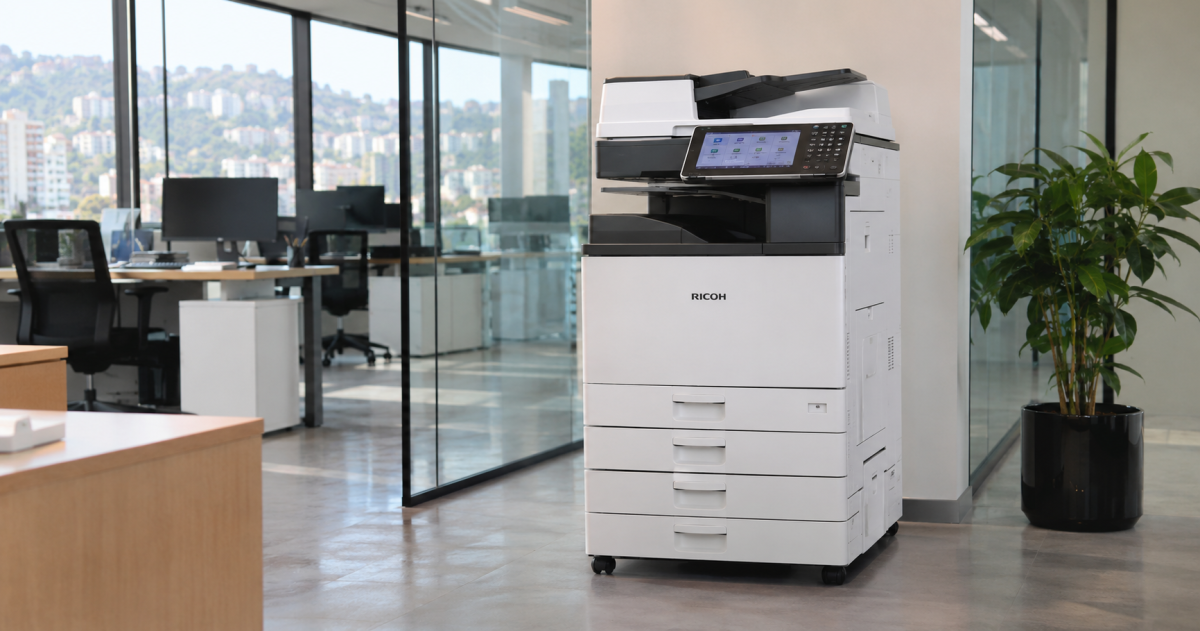
Buying an office printer looks simple until you compare a few models. A4 or A3? Color or black and white? A small desktop unit or a full multifunction printer? Pick wrong and you pay for it every month, in toner, downtime and wasted paper. At Business Equipment Co. (BEC), Ricoh's authorized dealer
1. How much do you really print each month?
Volume is the first thing to know, because it decides the class of machine you need. Check your current printer's page counter, or estimate it: a 10-person office printing invoices and reports can easily pass 3,000 pages a month.
- Under 1,000 pages a month: a compact A4 printer is usually enough.
- 1,000 to 5,000 pages a month: look at an A4 or A3 multifunction printer (MFP) built for shared office use.
- Over 5,000 pages a month: you need a robust A3 MFP with a large paper capacity and a service contract.
A printer that runs well above its recommended monthly volume wears out faster and breaks down more often. A machine that is too big for your needs costs more than it should.
2. A4 or A3?
A4 printers handle standard letters, invoices and reports. They are smaller, cheaper and ideal for small teams.
A3 machines print up to double that size: posters, plans, spreadsheets, school exam sheets and booklets. Most A3 MFPs also come with a higher speed, bigger paper trays and finishing options such as stapling. If you ever send A3 jobs to a print shop, an A3 copier often pays for itself.
3. Color or black and white?
Ask yourself who sees your printed documents. If you print offers, brochures, menus or presentations for clients, color makes your business look more professional.
If most of your printing is internal (forms, receipts, records), a black-and-white printer keeps the cost per page lower. Many offices choose a color MFP and set user rules, so color is used only when it matters. Software like PaperCut makes those rules easy to apply.
4. Printer only, or a multifunction printer?
Today most businesses need more than printing. A multifunction printer combines:
- printing (including from phones and laptops over Wi-Fi)
- copying
- scanning to email, folders or the cloud
- faxing, where still needed
One MFP replaces three or four separate devices, saves space and is easier to maintain. Ricoh's IM series also has a large touch screen that works like a tablet, so staff learn it quickly.
5. What will it cost per page, not just to buy?
The purchase price is only the start. Over the life of the machine, toner, parts and service usually cost more than the printer itself. Before you buy, ask for:
- the cost per page in black and in color
- the yield of each toner cartridge
- whether genuine toner and spare parts are available locally
- what a maintenance contract covers
Cheap compatible toner can look like savings, but it often leads to poor print quality and repairs. We cover this in detail in an upcoming post on genuine vs compatible toner.
6. Who will service it in Lebanon?
This is the question many buyers skip, and the one that matters most. A printer is only useful when it works. Before buying, check:
- Is the seller an authorized distributor, with access to official parts and firmware?
- Do they have trained technicians who can reach your office quickly?
- Is there a local stock of toner and spare parts, so you don't wait for imports?
- Can they help protect the machine from power cuts and voltage changes with the right UPS or stabilizer?
With frequent switches between the grid and generators, power protection is not optional in Lebanon. A good supplier will advise you on it during installation.
Quick guide: which printer fits your business?
Business type | Typical need | What we usually recommend |
|---|---|---|
Small office (1–5 people) | Low volume, mostly A4 documents | Compact A4 printer or A4 MFP |
Growing company (5–30 people) | Shared printing, scanning, some color | A4 or A3 color MFP with user codes |
School or university | High volume, exams, A3 handouts | A3 MFP, black and white or color, with finishing |
Bank or clinic | Secure printing, heavy scanning and archiving | A3 MFP with secure release and scan-to-folder |
Shop or restaurant | Receipts, menus, price labels | Small color printer plus a POS system |
Buy, rent or lease?
You don't have to pay the full price up front. Depending on your budget, you can buy the machine outright or choose a rental or leasing plan that includes service and supplies. We'll compare the three options in our next post.
Get the right printer the first time
The best printer for your office is the one that matches your volume, your documents and your budget, and comes with reliable local service. That's what we've been doing for businesses across Lebanon for more than 45 years.
- Browse our printers and photocopiers
- See our after-sales services
- Control printing costs with business software
Not sure which model fits? Contact our team, call +961 1 257 500 or message us on WhatsApp for a free recommendation.